One home for your agent browsers.

Do you use Claude Code or Codex with the Chrome DevTools MCP server? Habitab puts their browsers in one window. You see what each agent does, you point at what you mean, and you step in without breaking its run.

Install → What it fixes

For Claude Code and Codex · Chrome DevTools MCP · macOS and Linux · Node 20+

The Habitab window: on the left two agent sessions grouped by project, with live tab thumbnails; on the right the checkout page of a juice shop, where the line 'Deposit (3 bottles)' is marked and a note to the agent is open with the text 'Show the deposit next to each bottle, not only here. People think it is a fee.', a Hold to talk button and the buttons Cancel, Add and Send
Two agent sessions on the left. On the right, you marked a line of the checkout and write a note to the agent.You marked a line of the checkout and write a note to the agent.

All sessions together

“Where did the browser go?”

Each agent session starts its own Chrome. After a few days you have many windows, and you do not know which one is live.

Habitab is one window. Sessions are grouped by project, with a live thumbnail for each tab. When a session ends, its tabs close.

  • Each session has its own cookies, storage and cache.
  • Pin a session to keep its browser after the agent stops.
  • Restart the app, and the sessions come back with their tabs.
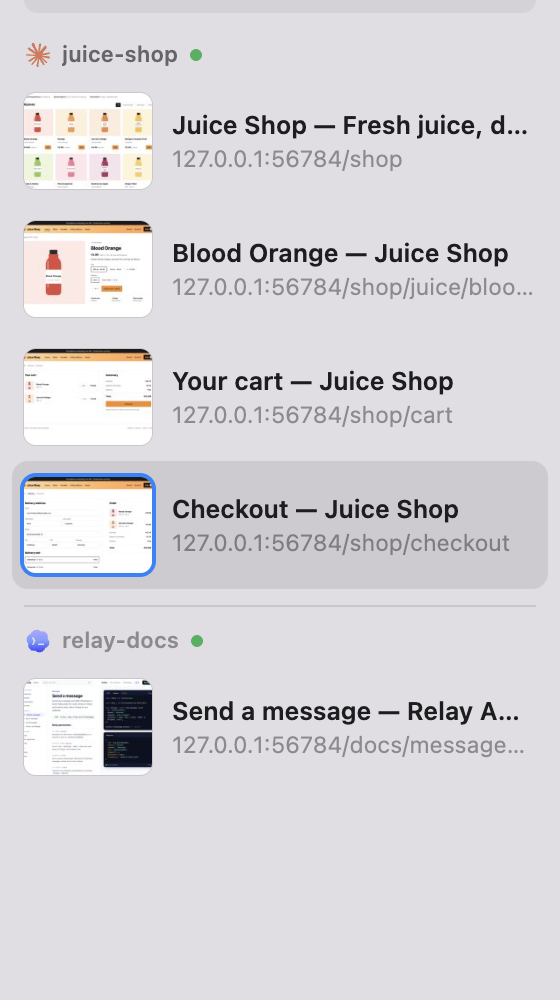
The sidebar: sessions grouped by project, each tab with a live thumbnail
Projects, sessions, tabs. The thumbnails are live.

Step in safely

“Sorry, I just wanted to check something.”

You click into the page while the agent tests it. Its next screenshot shows a page it did not expect, and it starts to debug a problem that you caused.

Your click holds the agent. Its next actions in that tab wait until you stop. The agent gets a note that you have control, so it does not look for a bug.

  • In its other tabs, the agent goes on.
  • Need more time? Own Tab opens the page again, only for you.
  • The window never takes your focus.
The top bar while you have control: the red error count, a hand icon with 'You have control' and the seconds left, next to it the Own Tab button, and the status line 'You have control: the agent's next tool calls wait'
You have control. The agent goes on after ten seconds without input, or when you press Resume.

Point and send

“No, the other button.”

Describing a part of a page in a chat is slow. So is copying errors out of the console.

Mark it and write a note. The agent gets your words, the URL, the elements in the area and an image of it. Console errors and failed requests show as a red count; a right-click sends them to the agent.

  • Hold ⌥ (Alt) to mark a hover state or an open menu.
  • On a Mac, dictate the note. Recognition runs on the Mac.
  • Claude Code and Codex get the note in the running session.
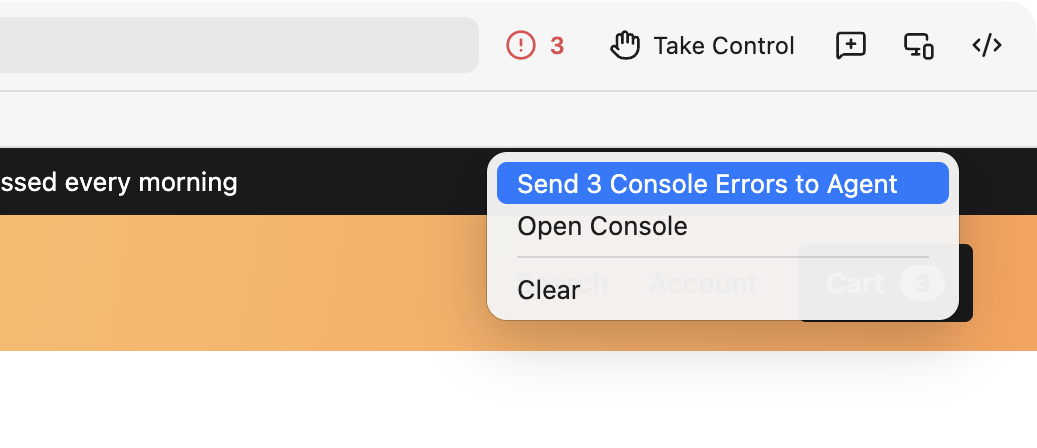
The top bar with a red count of 3 and below it the count's context menu with 'Send 3 Console Errors to Agent', 'Open Console' and 'Clear'
Three errors on the checkout page. A right-click on the count sends them.

Replay every change

“Wait, what did you just do?”

Agents click faster than you can read. The page you wanted to comment on is already gone.

Habitab keeps a timeline. A screenshot follows each tool call, with one card for each visible change. Mark an area on an earlier card, and the agent learns which step it belongs to.

The timeline strip under the status line: five thumbnails of the page as it changed, and a card for the live page
Five changes, from the shop's front page to the checkout.

A real browser

Chromium, with the tools you know.

Every tab is Chromium. The DevTools dock beside the page while the agent works. Responsive mode shares its frame with the agent's emulate and resize_page.

  • A persistent profile per project keeps your logins.
  • Pages that load the GPU, or stop responding, show in the top bar.
  • Address bar, find in page, downloads, camera and microphone prompts.
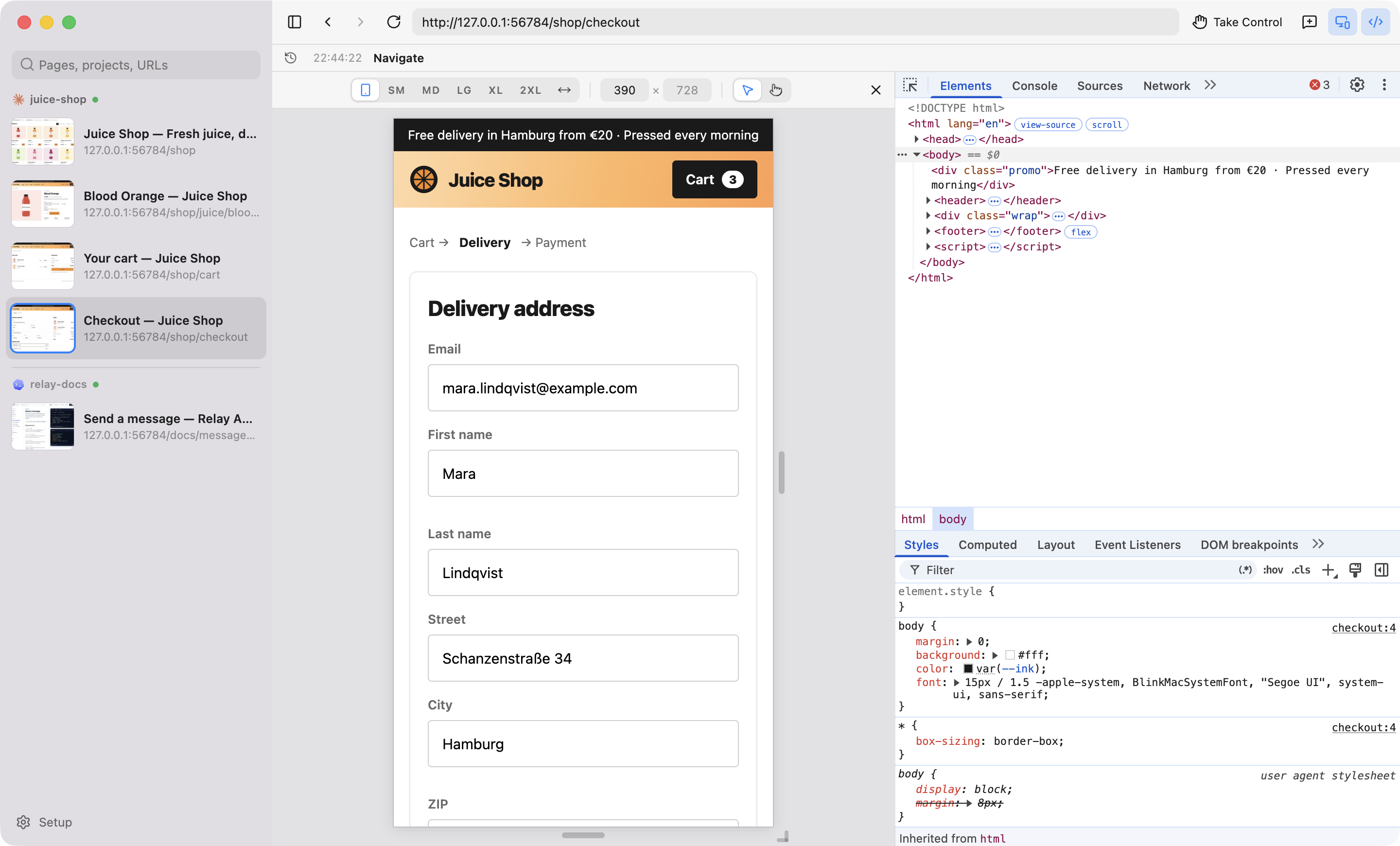
The Habitab window: the checkout page in responsive mode at 390 by 728 pixels with the phone preset selected, and DevTools docked on the right with the Elements panel and Styles
The checkout at phone width, DevTools beside it.

All details, shortcuts and limits are in the README ↗

How it works

A different browser for the MCP server. The server stays as it is.

Your agent keeps the official Chrome DevTools MCP server, with no wrapper and no new options. Habitab changes one setting: the browser that the server starts. That browser opens in Habitab, in the session of its agent. If Habitab is not running, the agent gets the normal Chrome.

Claude Code · Codex your agent, as installed
MCP
Chrome DevTools MCP unchanged
opens Habitab instead of Chrome
Habitab one window for all sessions

Install

Three commands. Safe to run again.

  1. Needs: macOS or Linux, Node 20 or newer and npm; Claude Code or Codex with the Chrome DevTools MCP server.
  2. Run the commands. The installer builds the app, puts it in /Applications (Linux: ~/.local/lib/habitab) and starts it. The app sets one entry in chrome-devtools-mcp's global config; it changes no client configuration.
  3. Then restart any running agent sessions. Habitab → Setup… shows which ones.

It works when the agent's next browser call opens in Habitab, and its session shows on the left under its project.

Other agents with chrome-devtools-mcp 1.10 or newer, such as OpenCode or Cursor, get the shared browser; their notes go to the clipboard. ./install.sh --uninstall removes the entry and the app.

$ git clone https://github.com/fgnass/habitab
$ cd habitab
$ ./install.sh